

Designing the Perfect LinkedIn Banner: A 2026 Guide
By Cloudy Convert
Practical guides from the Cloudy Convert team on files, formats, privacy, and digital workflows.
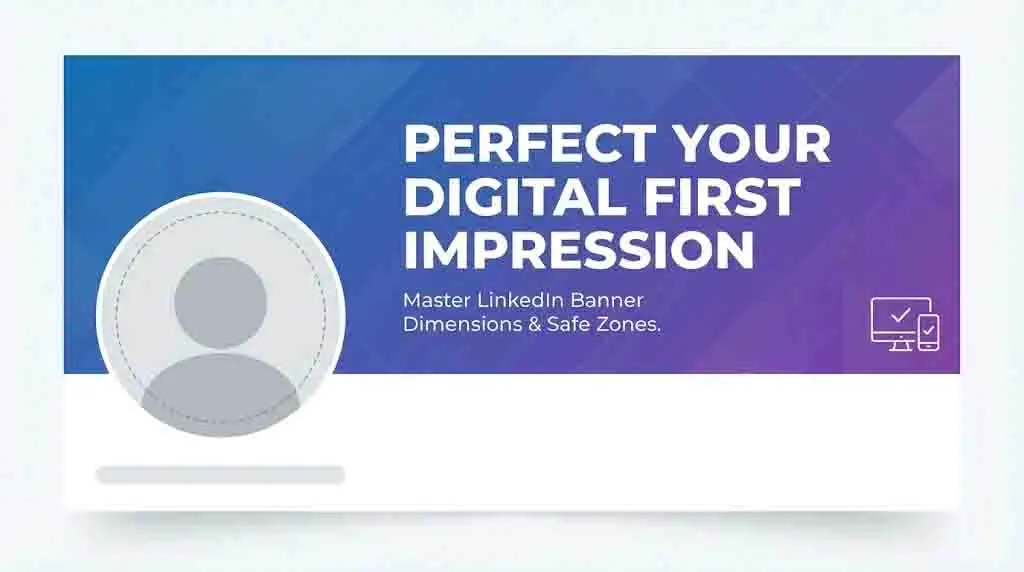
Your Banner is Valuable Digital Real Estate
Think of your LinkedIn banner as a billboard on the busiest professional highway in the world. It is the single largest visual asset on your profile, yet it is the most frequently neglected. While your profile picture introduces your face, your banner introduces your context.
In 2026, the "default" blue constellation background is a signal of stagnation. A custom-designed banner tells recruiters, clients, and peers that you are attentive to detail, tech-savvy, and serious about your professional brand. It’s the difference between showing up to a meeting in a generic t-shirt versus a tailored suit.
How to Create Your Banner in 4 Simple Steps
Using our LinkedIn Banner Resizer removes the technical guesswork. You don't need to memorize pixel counts; the tool handles the math so you can focus on the message. Here is how to get a pixel-perfect result:
Upload Your Vision
Start by clicking the upload area or dragging your image directly into the resizer. We recommend starting with a high-resolution image at least 1584px wide to ensure the output remains crisp on 4K displays.
Toggle the "Safe Zone" Overlays
This is the "magic" step. Use our interactive overlays to see exactly where the profile picture sits on Mobile vs. Desktop. If your logo or CTA is hidden behind the circular cutout, you’ll know immediately.
Adjust & Align
Drag your image to reposition it within the frame. Our tool locks the aspect ratio to 4:1, so you don't have to worry about stretching or "squishing" your graphics. Aim to keep your text in the clear "right-hand" space.
Download High-Res PNG
Once you're happy with the preview, hit the download button. The tool exports a specialized PNG-24 file optimized specifically for LinkedIn’s 2026 upload requirements, bypassing the usual compression blur.
The 2026 Technical Standards
Precision is the foundation of professional design. LinkedIn's rendering engine is notoriously picky—use the wrong dimensions, and your image will be stretched or pixelated beyond recognition.
| Profile Type | Dimensions | File Format | Max Size |
|---|---|---|---|
| Personal Profile | 1584 x 396 px | PNG / JPG | 8 MB |
| Company Page | 1128 x 191 px | PNG / JPG | 8 MB |
| Showcase Page | 1080 x 360 px | PNG / JPG | 5 MB |
The 3 Unbreakable Rules of Banner Design
- 1
Prioritize PNG-24 Over JPEG
LinkedIn compresses JPEGs aggressively. PNG-24 preserves the sharpness of your text and logo edges, ensuring a crisp look on high-res Retina displays.
- 2
Respect the Aspect Ratio
A 4:1 ratio is non-negotiable. If you upload a square or vertical image, LinkedIn will crop the center, often cutting off your most important information.
- 3
Center-Right Bias
Since the profile picture covers the left side, your "Visual Weight" should always be concentrated on the right side of the canvas.
Solving the Mobile vs. Desktop Conflict
The biggest headache for LinkedIn users is the "Moving Profile Picture." On a desktop, your photo sits on the bottom-left. On the mobile app, it shifts toward the center. This creates a "dead zone" that can obscure your contact info or branding if you aren't careful.
Understanding the Safe Zone
To ensure your banner works on every device, you should leave a buffer of roughly 150 pixels on the left and 50 pixels on the top and bottom. The "Golden Corridor"—the center-right area—is the only place where your text is 100% safe from being covered.
Quick Tip
Update your banner once every 6 months or whenever you have a major achievement (like a new certification or keynote speech). Keeping it fresh signals you are active in your industry.
Color Psychology & Professional Trust
Your choice of color sets the emotional tone of your profile before a single word is read.
Blue & Navy
The gold standard for Finance, Tech, and Law. It conveys stability, trust, and professional calm.
Green & Teal
Ideal for Sustainability, Health, and Growth-focused roles. Signals vitality and balance.
Purple & Gold
High-end consulting and Luxury brands. Signals exclusivity, wisdom, and premium quality.
Orange & Charcoal
Creative agencies and Startups. Signals energy, innovation, and approachability.
Create Your Perfect Banner in Seconds
You don't need to be a Photoshop expert to achieve a 2026-standard design. The secret is using a live preview tool that overlays your actual profile picture onto your design *before* you upload it.
Avoid the Crop. Perfect Your Brand.
Don't waste hours uploading and re-uploading. Our free resizer tool lets you drag-and-drop your image and see exactly how it looks on Mobile vs Desktop.
Launch LinkedIn Banner Resizer