How to Merge PDF Files Online: The Secure 2026 Guide
Stop juggling multiple attachments. Combine your documents into one professional file in seconds—without ever uploading your data to a server.
The Problem with Messy Attachments
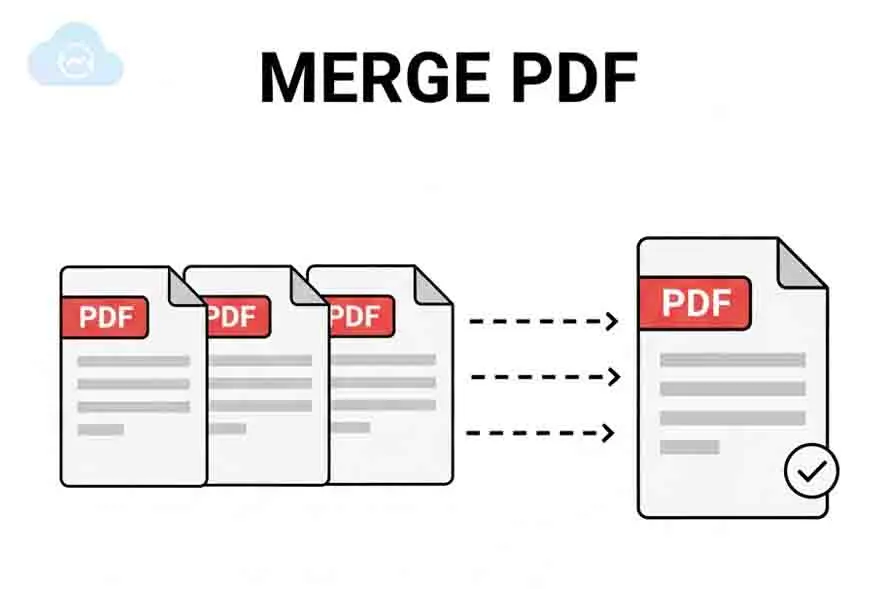
In a professional setting, sending five separate PDF attachments is seen as disorganized. Whether you are submitting a job application, mortgage documents, or a business proposal, a single merged PDF ensures your recipient sees your work in the exact order you intended.
Comparing PDF Merging Methods
| Method | Privacy | Speed | Cost |
|---|---|---|---|
| Cloud Converters | Low (Uploads data) | Slow | Free / Paid |
| Desktop Software | High | Fast | Expensive ($) |
| CloudyConvert (WASM) | Maximum (Local) | Instant | 100% Free |
How to Combine PDFs in 30 Seconds
Follow these simple steps to join your files using our secure, browser-based technology.
Select Multiple PDFs
Click the upload area or drag and drop your files. You can select all your documents at once from your computer or phone.
Organize the Sequence
Use our drag-and-drop interface to rearrange files. The document at the top becomes page one of your new combined PDF.
Merge Locally
Hit 'Merge.' Our WASM engine stitches the pages together instantly without uploading your sensitive data to the internet.
Instant Download
Your single, organized PDF is ready immediately. No waiting for server queues or processing delays.
Combine Your Files Now
Join multiple documents into one clean, professional PDF without any file limits or registration.
Merge PDF FilesA Smarter Way to Join Documents
Why thousands of professionals trust CloudyConvert for document organization.
Local Browser Merging
Your files never leave your device. We use cutting-edge WebAssembly to process data locally, ensuring 100% document privacy.
Unlimited File Count
Whether you're joining two pages or twenty separate reports, CloudyConvert handles large batch merges for free.
Zero Wait Time
Because there's no upload or download from a remote server, merging is up to 10x faster than traditional online converters.
Mobile Optimized
Merge PDF files on the go. Works perfectly on iPhone, Android, and tablets without needing to install an app.
Important Security Alert
Did you know most online PDF tools save a copy of your file on their servers?
When merging sensitive files like tax returns, bank statements, or ID copies, using a cloud-based converter exposes your data to potential breaches. CloudyConvert eliminates this risk by using local execution. Your files are merged entirely inside your browser tab.
Common PDF Merge Failures and How to Avoid Them
Corrupted or Incomplete Files
Problem: PDFs appear readable but fail during merge.
How to avoid: Re-export, re-download, or re-scan the original document before merging.
Password-Protected PDFs
Problem: Encrypted files block merge engines.
How to avoid: Unlock PDFs locally before attempting to combine them.
Mixed Page Sizes & Rotation
Problem: A4, Letter, and rotated pages create layout chaos.
How to avoid: Normalize page size and orientation prior to merging.
Unsupported PDF Standards
Problem: Legacy or malformed metadata causes silent failures.
How to avoid: Use modern WASM-based tools that auto-normalize structures.
Legal and Compliance Implications
| Risk Area | Why It Matters | Local Merging Benefit |
|---|---|---|
| Data Protection | Server uploads may violate GDPR or HIPAA. | No data leaves the device |
| Client Confidentiality | Sensitive files create legal exposure. | Zero third-party access |
| Document Integrity | Re-encoding may alter legal records. | Content preserved exactly |
| Audit & Retention | Temporary server storage creates copies. | No hidden file retention |
PDF Size, Performance, and Compression Tradeoffs
Font Duplication
Poor tools embed the same fonts multiple times, inflating size.
Image Recompression
Server tools often recompress images, causing quality loss.
Structural Overhead
Full file rewrites add unused objects and metadata.
Best practice: Merge first, compress later—only if required.
Local WASM merging preserves original assets and avoids unintended quality degradation.
When You Should Merge PDFs (And When You Shouldn’t)
Merge PDFs When
- Submitting a single professional attachment
- Archiving finalized records
- Delivering read-only documents
- Maintaining fixed page order
Do Not Merge PDFs When
- Documents require ongoing edits
- Version control is still active
- Recipients need selective access
- Automated systems expect separate files
Perfect for Every Profession
For Students
Combine your thesis, bibliography, and cover page into one submission-ready file.
For HR & Job Seekers
Merge your CV, certificates, and recommendation letters into a single professional portfolio.
For Real Estate
Organize multiple scan pages of contracts and disclosures into one organized package.
For Developers
Combine multiple documentation exports into one searchable PDF guide.