
Why a PDF Can Be Searchable While a Screenshot Can't
A document is not defined by what the eye sees. Searchability, accessibility, and long-term usability come from how the file stores information — and that is where a real PDF differs from a simple image capture.
By Cloudy Convert
Practical guides from the Cloudy Convert team on files, formats, privacy, and digital workflows.
The visible page is not the document
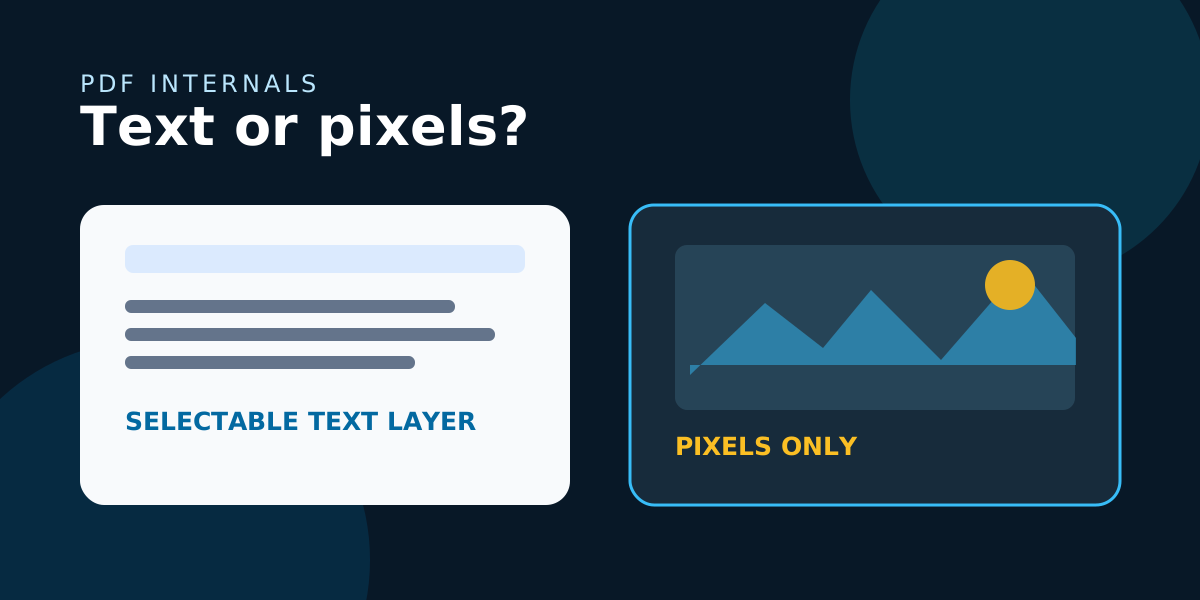
When you look at a page, your brain recognizes words, lines, and headings instantly. Software needs those things represented as data. A screenshot stores colored pixels in rows and columns; it does not store the word “invoice” as a word that a search engine can match.
A PDF can contain a page image and a separate text layer. That is why a scanned contract may look identical to a screenshot while still allowing text selection and search: the characters exist underneath the visible image.
Three layers that shape how a PDF behaves
Text layer
Characters stored as data. Search, copy, selection, and text-to-speech tools can work with it.
Image layer
A visual page made from pixels. It preserves appearance, but pixels are not automatically letters.
Structure layer
Reading order, headings, language, and labels that help people and assistive technology navigate.
Searchability comes mainly from the text layer. Accessibility needs more than searchable characters, because a screen reader also needs a sensible reading order and meaningful structure.
Why screenshots fail the search test
A screenshot is an excellent visual record. It captures exactly what was on screen, including layout, colors, and transient details. But its words are shapes made of pixels. A browser find command, PDF search tool, or copy action cannot infer those shapes reliably without an additional recognition step.
Image-only page
- - Looks faithful to the source
- - Search and copy usually fail
- - Text zooms like an image
Text-based page
- - Characters can be selected
- - Search can find phrases
- - Text can reflow or be read aloud
OCR is a recovery step, not a time machine
Optical character recognition, or OCR, examines pixels and predicts the characters they represent. It can turn a scan into a searchable document, but it is making an inference. Small text, skewed pages, unusual fonts, low contrast, handwriting, and compression artifacts all increase the chance of an incorrect result.
Always review high-stakes text
An OCR mistake in a heading may be harmless. A mistake in an account number, dosage, name, date, or contract clause is not. Searchability is useful evidence that text was recognized, not proof that every character is correct.
For important records, keep the original scan alongside the OCR-enhanced copy. The image remains the visual reference; the text layer makes the record easier to find and work with.
Searchable is not the same as fully accessible
A selectable text layer is a major improvement, but it is only one part of an accessible PDF. A document may still read in the wrong order, lack headings, omit table relationships, or provide no alternative text for meaningful graphics.
Searchable text: characters exist as data and can be located.
Readable structure: headings, paragraphs, lists, and tables have a useful order.
Accessible meaning: language, labels, contrast, and alternatives support different ways of navigating.
A quick test for any PDF
Choose an unusual word rather than a common heading.
See whether selection follows words or grabs the whole page image.
Check whether usable text arrives or nothing meaningful is copied.
Searchability helps, but reading order reveals the larger accessibility picture.
Create the right PDF for the source
If you start with editable text or a webpage, create a PDF from that source so the text layer is generated directly. If you start with a screenshot or scan, recognize the text when search and accessibility justify the review work. If visual evidence is the only goal, an image-only PDF may be the honest representation.
Choose the workflow before the export
CloudyConvert can help turn images, webpages, and other common sources into PDF files locally in your browser. The right next step depends on whether you need a faithful visual record, searchable text, or an editable source preserved elsewhere.