Digital Signatures vs. Electronic Signatures: A 2026 Security Deep-Dive
A signature is not just a mark on a document. It is a claim about identity, intent, and trust. The difference between a simple electronic signature and a true digital signature is the difference between a confirmation and a verifiable seal.
By Cloudy Convert
Practical guides from the Cloudy Convert team on files, formats, privacy, and digital workflows.
The Common Misconception
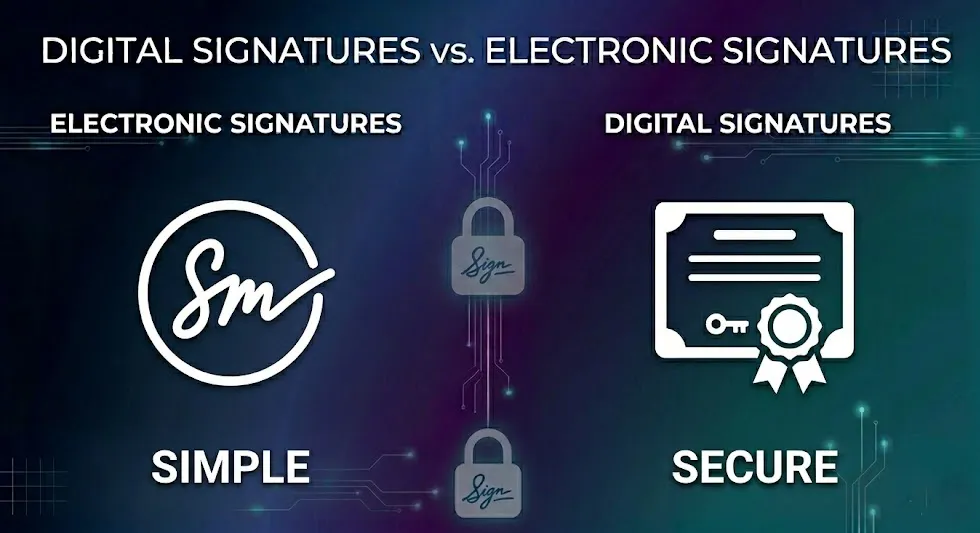
When most people think of an "e-signature," they picture drawing their signature with a mouse or typing their name in a cursive font. While this Electronic Signature is often legally valid, it's akin to signing a paper document with a pencil—easily forged and with no way to prove it wasn't altered later.
A Digital Signature, on the other hand, is a technological and cryptographic process that provides a much higher level of security and trust.
Defining the Terms: A Clear Breakdown
Electronic Signature
- What it is: Any electronic symbol or process attached to a contract, signifying intent to sign.
- Examples: A typed name, a scanned signature image, a check-box for "I Agree."
- Security Level: Low. Proves intent, but not identity or integrity.
Digital Signature
- What it is: A specific type of electronic signature that uses a cryptographic mechanism to secure a document.
- Examples: A PDF signed with a certificate-based ID.
- Security Level: High. Proves intent, identity, AND document integrity.
How Digital Signatures Work (The PKI Magic)
A digital signature relies on Public Key Infrastructure (PKI). Here’s the simplified process:
- Hashing: The document is run through an algorithm to create a unique fingerprint called a "hash."
- Encryption: The signer uses their personal, secret Private Key to encrypt this hash. This encrypted hash is the digital signature.
- Attachment: The signature is attached to the document, along with the signer's Public Key and a certificate from a trusted Certifying Authority (CA).
- Verification: The recipient's software uses the signer's Public Key to decrypt the signature. It then re-hashes the document. If the two hashes match, the signature is valid, proving the document hasn't been tampered with.
The Tamper-Evident Seal
If even one comma is changed in the document after signing, the hashes will no longer match, and the signature will immediately show as invalid. This is what makes a digital signature "tamper-evident."
The Three Pillars of Digital Trust
Developer • LegalA digital signature delivers specific legal and technical guarantees that simple electronic signatures usually can't fully provide. These three pillars are what make a digital signature suitable for legal and regulated workflows.
Legal & Compliance Implications
While laws like the ESIGN Act in the US grant legal standing to electronic signatures, digital signatures provide a far stronger basis for non-repudiation—the inability of a signer to deny having signed the document.
| Feature | Electronic Signature | Digital Signature |
|---|---|---|
| Identity Verification | Weak (Email-based) | Strong (CA-verified) |
| Document Integrity | None | High (Hash-based) |
| Non-Repudiation | Disputable | Very Strong |
When to Use Each Type
- Internal approvals
- Low-risk agreements
- Accepting terms of service
- Legal contracts
- Financial agreements
- Government filings
Adobe vs. Global Standards — Long-Term Validation (LTV)
StandardsLong-Term Validation (LTV) preserves evidence so signatures can be validated years later, even if the original signing certificate has expired. Common LTV features include embedded timestamps and archived revocation info (OCSP/CRL).
In practice: a timestamp from a trusted time-stamping authority combined with recorded revocation checks means the signature can be proven valid at signing time, which is crucial for long-lived contracts and archives.
How to Verify a Digital Signature
- Open the signed document in a trusted viewer (e.g., Adobe Acrobat).
- Open the signature panel and inspect the signer certificate and issuing CA; look for a green/valid status.
- Check for a trusted timestamp and any embedded OCSP/CRL revocation info — evidence of LTV.
- Optionally export the signature package for third-party verification or archival.
Cloud Signatures vs. Local Signatures
Both approaches are valid; choose based on your risk model and operational needs. Below we contrast the main trade-offs.
- Easy onboarding and mobile-friendly.
- Key custody handled by provider (convenience vs trust trade-off).
- Often integrated with identity verification services.
- Private key remains under user control.
- Better for high-assurance, regulatory use-cases.
- Requires certificate management (more friction).
Is Your Signature Legally Binding? — Quick Checklist
- Was the signer's identity verified (ID check, MFA, or CA)?
- Does the signature include a timestamp and revocation info?
- Is the certificate issued by a trusted CA recognized in your jurisdiction?
- Does the signature technology provide tamper-evidence?
- Have you preserved the signed package (document + signature + timestamps) for future validation?
Protect Your Documents
Before you sign, make sure your document is protected. Add a watermark to denote its status as 'Confidential' or 'Draft'.
Add Watermark to PDF