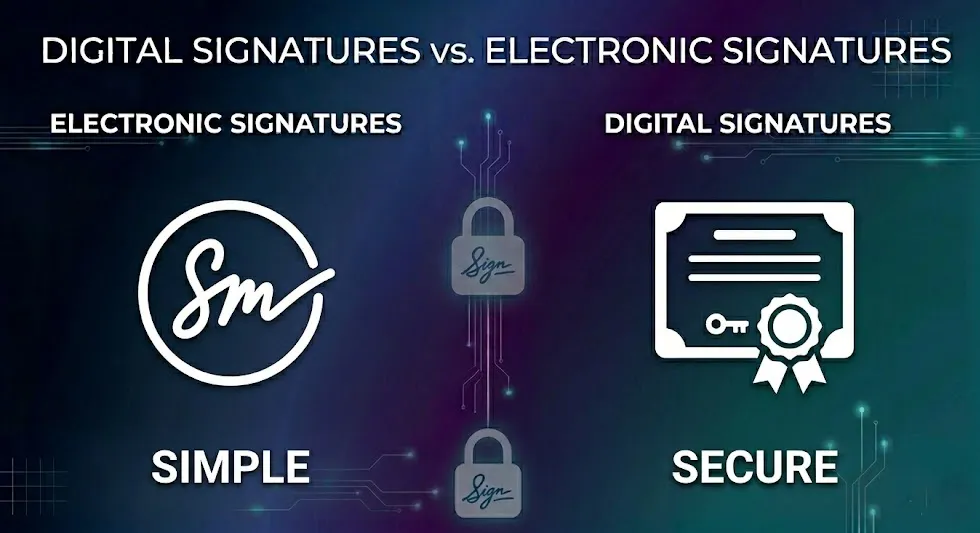
Hidden Risks: How to Strip Metadata from Images & PDFs
A photo can look harmless on the surface while carrying a hidden trail of location data, timestamps, camera details, and editing history. Removing that metadata is one of the simplest ways to protect your privacy before sharing.
By Cloudy Convert
Practical guides from the Cloudy Convert team on files, formats, privacy, and digital workflows.
What is File Metadata (EXIF)?
Metadata, often called EXIF data for images, is a set of "data about data" that is automatically embedded into your files. Think of it as a hidden label that travels with your photo, containing details you might not want to share.
The Privacy Risks of Unscrubbed Files
GPS Coordinates
Reveals the exact location where a photo was taken.
Device Information
Exposes the make and model of your phone or camera.
Timestamps
Shows the precise date and time of capture and editing.
Author/Owner
Can include your name or computer username.
How to Clean Files Securely
While some operating systems offer built-in ways to remove metadata, they often miss certain fields or are cumbersome to use. The safest and most thorough method is to use a dedicated tool that processes the file locally.
Why Local Processing Matters
Uploading your sensitive photos to an unknown server just to remove metadata is a paradox. It exposes your files to the very risks you're trying to avoid. Our tools run 100% in your browser, so your private data never leaves your device.
Pro Tip — The Screenshot Shortcut
If you need a quick, no-tool way to strip most embedded metadata, open the image on your phone and take a screenshot of it. The screenshot will typically lose most EXIF metadata. This is great for fast sharing, but note that it may reduce resolution and visual fidelity — for high-quality needs use a dedicated scrubber.
Quick Tip: For high-res or professional use, prefer a local scrubber that preserves pixel-perfect output while removing hidden data.
The "Before vs. After" Comparison
Seeing is believing. A simple visual comparison helps users understand exactly what gets removed when metadata is scrubbed. Below we walk through the common visible and invisible changes so you know what to expect.
Before — Original File
- - Full EXIF block with camera make/model, GPS, timestamps
- - Original filename and sometimes author tags
- - Embedded thumbnails and preview images
Tip: You can inspect EXIF locally using system preview tools or free viewers to see the exact fields present.
After — Scrubbed File
- - GPS coordinates removed or zeroed
- - Camera/device identifiers stripped or anonymized
- - Timestamps removed or normalized
- - Embedded thumbnails and extra previews removed
Audit: Good scrubbers provide a summary of removed fields — use that report to verify what changed.
How to Check Your Image Metadata
Want to verify what metadata is embedded in an image before you share it? Try the quick inspector below — upload an image and see a short summary of detected fields.
Image Metadata Inspector (Test)
Metadata Output
null
Automating Privacy in Your Workflow
Step 1: Upload. Drag your image or PDF into our All-in-One Converter.
Step 2: Convert. In the settings, ensure the 'Strip Metadata' option is checked before you convert to your desired format.
Step 3: Download & Share. The downloaded file will be a clean, metadata-free version, safe to share anywhere online.
Platform Watch — How Social Media Handles Your Data
Different platforms treat uploaded photos differently. Some services aggressively re-encode and strip metadata, while others preserve parts of it. Here's a quick roundup:
Facebook / Instagram
Generally re-encodes images and strips most EXIF including GPS. However, thumbnails or cached copies may retain derived data. Don't assume complete scrubbing for every copy.
X (Twitter)
Historically re-encodes uploads and removes many metadata fields, but behavior can change with features and third-party clients. Treat platform stripping as convenient but not guaranteed.
Messaging Apps (WhatsApp, Signal, Slack)
Many messaging apps recompress images for bandwidth and, in the process, drop most EXIF. However, some apps preserve filenames or thumbnails with residual info. For critical privacy, scrub before sending.
Bottom line: platform re-encoding helps but is not a privacy strategy. Use local scrubbing when you control the file.
The Different Flavors of Metadata — Developer Corner
"EXIF" is the most familiar label, but file metadata comes in many flavors. Below are the common types developers and power users should know about.
EXIF
Contains camera settings, timestamps, GPS, orientation, and device identifiers. Present in JPEG and many RAW formats.
IPTC / XMP
Used for descriptive metadata (captions, keywords, rights info). XMP is XML-based and often embedded alongside or inside files; it can survive conversions if not explicitly removed.
JPEG Thumbnails & APP Segments
JPEG files can carry small embedded thumbnails or application-specific blocks that include previews or proprietary tags. These should be stripped to avoid leaking info.
Container Metadata (PNG, HEIF, PDF)
PNG and HEIF support text chunks/boxes; PDFs can embed extensive metadata and embedded images. Each container has its own quirks — a robust scrubber targets them specifically.
Developer note: For code-based scrubbing, libraries like ExifTool (server-side) or client-side parsers can enumerate and remove fields. Our in-browser tools aim to cover the most common vectors without sending data off-device.